

Tax Refund

Get faster access to your tax refund with Bluebird1
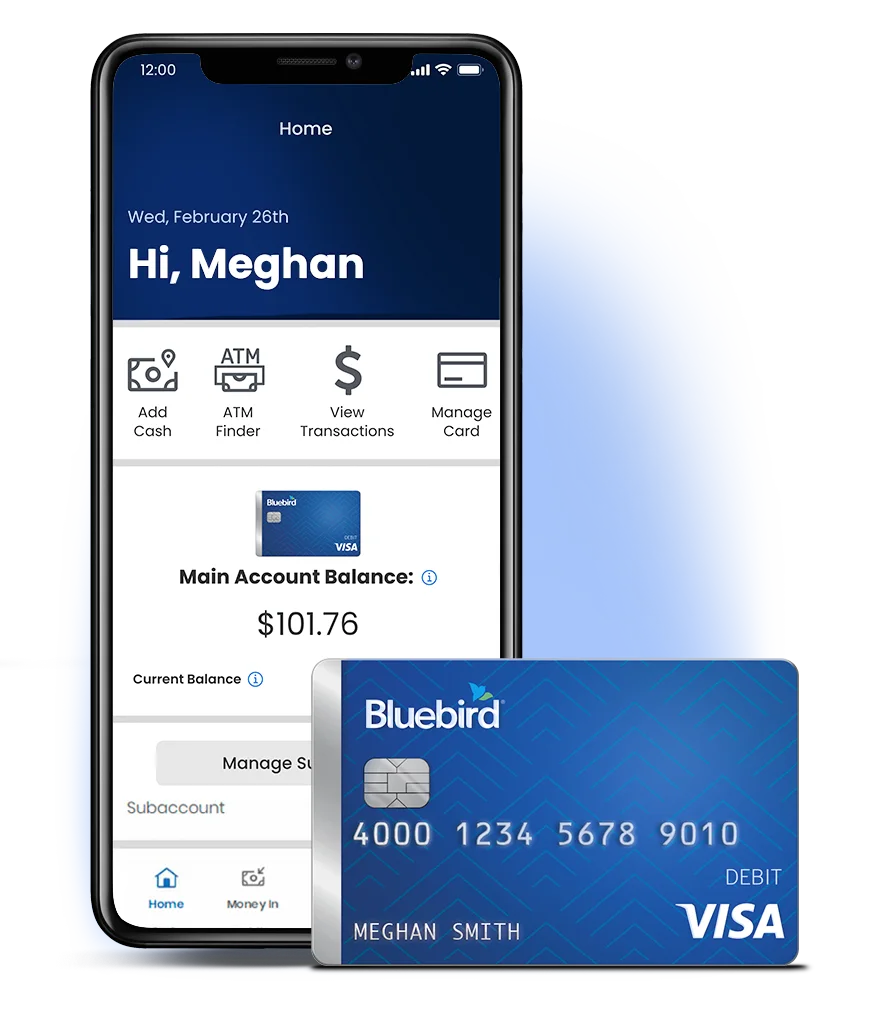
Waiting on your refund?
You can check the status of your refund on the IRS Where’s My Refund tool, the IRS2Go app, or by calling the IRS at 800-829-1954.
Staying Informed About Your Tax Refund Status
You can check your refund status anytime by using:
- IRS Where’s My Refund tool
- IRS2Go mobile app
- or by calling the IRS at 800-829-1954
Only the IRS will have the updated information on the status of your tax refund. Bluebird will notify you once your refund has been received and is ready for you to access. Then you can use your refund.
Direct Depositing Your Tax Refund to Bluebird Is Quick and Easy

Log into Your account
to get your Account and Routing numbers. If you don't have one, open a Bluebird Bank Account to get started today.

File Your Taxes
Direct Deposit your refund into your Bluebird Account.

Use Your Refund
Shop at your favorite stores, pay bills, or withdraw cash for FREE at over 40,000 MoneyPass® ATMs.2
Your Guide to Help with Tax Season
Before You File
Deposit funds into your Bluebird Account
Deposit funds into your Bluebird Account whether you file directly with the IRS or work with a tax professional.
Visit IRS's offical website for more information on filing your taxes

When You File
Getting your refund is fast and secure3
Ensure your refund is added to your Bluebird Account with the guidelines below.
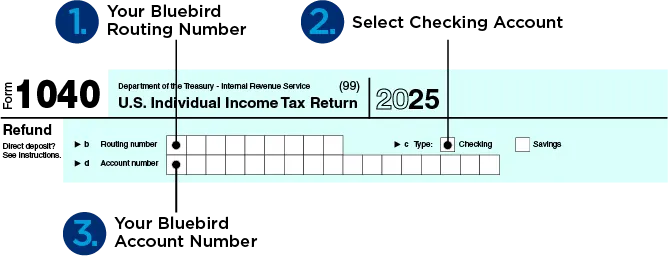
How to fill out your tax form for Direct Deposit:
1. Log in to your Account.
2. Get your Bluebird Account and Routing numbers.
3. Enter your Account and Routing numbers in the "Refund" section of your tax return and select "Checking" as the type of account.
Important Reminders

1. Register your Account
You must register online in order to add your refund to your Bluebird Account.

2. Match your information
The primary name and social security number on your tax return must match your Bluebird Account information.

3. Joint Filing
If you’re filing jointly with your spouse, the first name and social security number listed on the tax form must match your Bluebird Account information.
After You File
Using Your Refund
Let Bluebird's features and benefits help you get more out of your tax refund


Frequently Asked Questions
-
Yes! With Direct Deposit, get access to your federal tax refund up to 5 days faster than a standard electronic deposit from the IRS.1 Your tax refund will be added to your account as soon as your return is processed and completed by the IRS. To check the status of your refund, please visit the IRS Where’s My Refund tool, IRS2Go App, or by calling the IRS at 800-829-1954.
If your state allows, you can Direct Deposit your state tax refund to your Bluebird account. Please consult your state for instructions.
-
Make sure you have registered for a Bluebird account. If you do not have an account, click here to see how to get a Bluebird account.
Verify your email address that you used to register.
Locate your Bluebird Account and Routing numbers, which you’ll need when you file. You can find them by logging in to your account.
-
Yes. However, in order to avoid delay in receiving your funds, the primary name and social security number on the tax return must match the name and social security number that we have on file. If you are listed as the primary name on the account, you cannot be listed as "spouse" on your tax return. If this is not filled out correctly, your refund could be rejected, resulting in a potential delay in receiving your funds from the IRS.
-
You can check that status of your refund on the IRS Where’s My Refund? tool, the IRS2Go App, or by calling the IRS at 800-829-1954. The IRS information is updated every 24 hours. Bluebird Customer Service does not have information on the status of your refund until it has posted to your account. According to the IRS, most refunds are issued in less than 21 calendar days. It will take 24-48 hours for your funds to be available on Bluebird after your refund has been released by the IRS. You will receive an email from Bluebird once the refund has posted to your account.
-
Follow the steps below to successfully add your tax refund to your Bluebird account:
Ensure that the primary name and social security number on your tax return matches the name and social security numbers on your Bluebird Account exactly.
In the Refund section of the tax return:
Fill in your Bluebird Routing number
Fill in your Bluebird Account number
Select "Checking" as the type of account
-
There is a limit of two tax refunds per calendar year per account. You could receive both a federal and state refund on your account for a total of two refunds.
-
No. In accordance with IRS guidelines, you cannot Direct Deposit someone else's refund to your account. In this case, the deposit of the tax refund will be rejected.
If you have a Subaccount that is used by another person, you cannot receive a tax refund for that person on your Bluebird account.
-
Please consult the IRS Frequently Asked Questions for any other inquires specific to your tax refund.